
Grok Gadgets
On this page





Try the simulator · Documentation · Roadmap · Issues · Community
Connect gadgets to Grok with open-source tools and separate software development kits (SDKs). Start with a virtual light. Then build with Linux or ESP32, or explore Home Assistant.
Documentation follows our ASD-STE100-inspired writing guide. Formal compliance is not claimed.
Experimental alpha. Browser simulation and the local Model Context Protocol (MCP) connection pass software tests. C124 firmware compiles. Actual Grok execution, mobile use and physical operation still need verification.
Choose your starting point
| Your next step | Start here |
|---|---|
| Try without hardware | Browser and simulator kit |
| Develop a connection | Gateway |
| Build a Linux application | Linux SDK |
| Build an ESP32 gadget | ESP32 SDK |
| Explore an existing home | Home Assistant diagnostics |
| Help improve the alpha | Ready issues and contribution guide |
The public website is live. Its source lives here. Package releases and firmware downloads have separate release gates.
The ESP32 library is reusable; C124 is the first board example. Other boards need their own hardware handlers, build configuration and verification. See the repository and device map.
How the parts connect
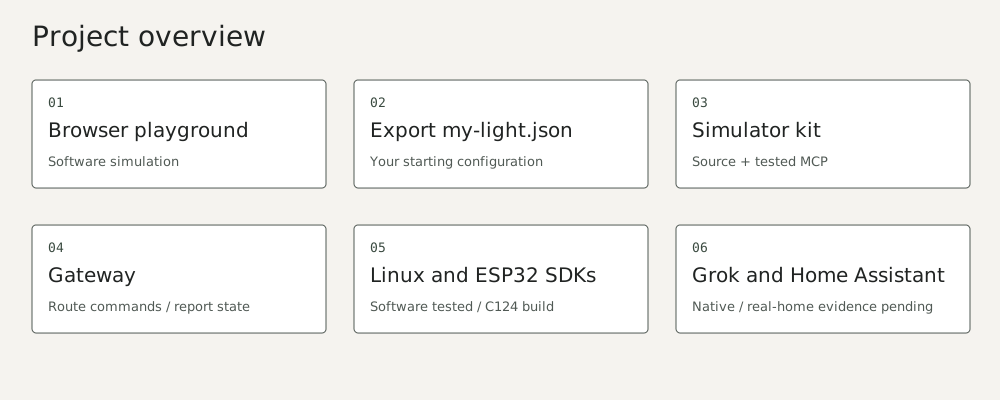
Try the website locally
Install Python 3.13, uv, Node.js 22+ and Git. Run these commands from the hub directory:
uv venv .venv --python 3.13
uv pip install --python .venv/bin/python -r website/requirements.txt
.venv/bin/python website/build.py
python3 -m http.server 4173 --bind 127.0.0.1 --directory website/dist
Open http://127.0.0.1:4173/index.html#playground. Change the virtual light. Export your settings as my-light.json. The browser does not call Grok or control hardware.
To run the local MCP demonstration, follow the simulator kit guide. That guide also explains download verification and rebuild checks.
Browser and local simulation need no hardware or Grok account. Kit installation needs Python 3.11+ and downloads dependencies with hash checks.
An actual Grok experiment needs a supported MCP connection in the Bot's environment. A cloud Bot cannot run a file that exists only on your Mac. Remote HTTPS/OAuth access to local gadgets is not implemented.
What is verified
| Evidence | What it establishes |
|---|---|
| Gateway and configurable kit | Source and extracted-package MCP software acceptance |
| Linux SDK | Software tests on macOS and Linux container; peripherals/systemd unverified |
| ESP32 SDK | Host logic, simulated USB/PTY and C124 compilation; no flashing or physical observation |
| Home Assistant | Fixture diagnostics and read-only client; no real home or Grok acceptance |
| Website | Static build/link tests, browser interaction and responsive checks |
Contribute
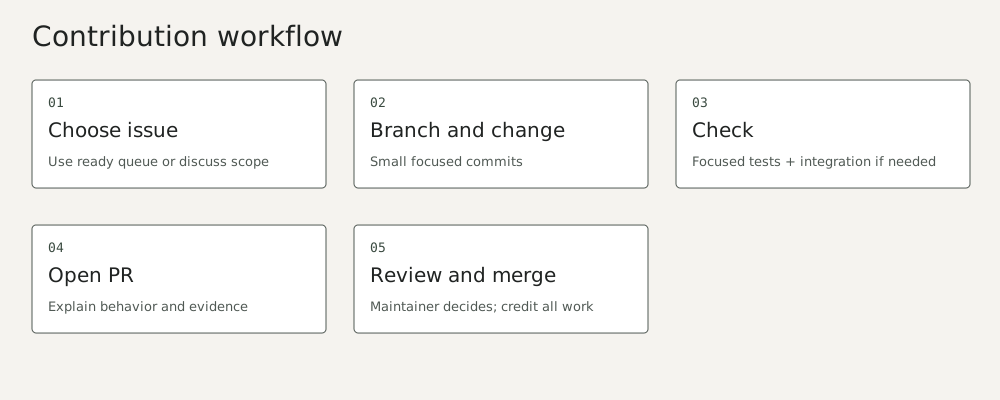
| Get involved | Link |
|---|---|
| Find a small task | Ready issues |
| Propose a change | Contribution guide |
| Review activity | Pull requests · Contributors |
| Report a private concern | Security · Code of conduct |
Run standalone hub checks with python3 scripts/check.py, node --test website/test_simulator.cjs, and .venv/bin/python -m unittest discover -s website. With all four pinned siblings installed, .venv/bin/python scripts/check-all.py runs the fourteen integration groups. See verification matrix, architecture, roadmap, support, security, governance and community.
Original code and vectors: Apache-2.0, with NOTICE and third-party notices. Independent community project, unaffiliated with xAI, M5Stack or Home Assistant. The owner has retained the current project and repository names.
History note
Pre-publication commit dates were reconstructed across 29 September–5 October 2026 at the owner’s request. Verification records retain their actual execution dates. See the history and privacy record.